The full cost list is one spreadsheet with every labour, material and plant line on a job. Use it to build a job costing spreadsheet, check the job's budget line by line, or filter and sort the job's costs your own way.
Who can do this: owners, admins and office staff. Plan: Crew, Business or Pro.
Before you start: the job needs at least one labour, material or plant line on a line item. See Build a Job Up: Job Items and Line Items.
Download the list
- Open the job and click the Finance tab. It opens on Overview.
- Click Download full cost list, beside the Financial Overview heading.
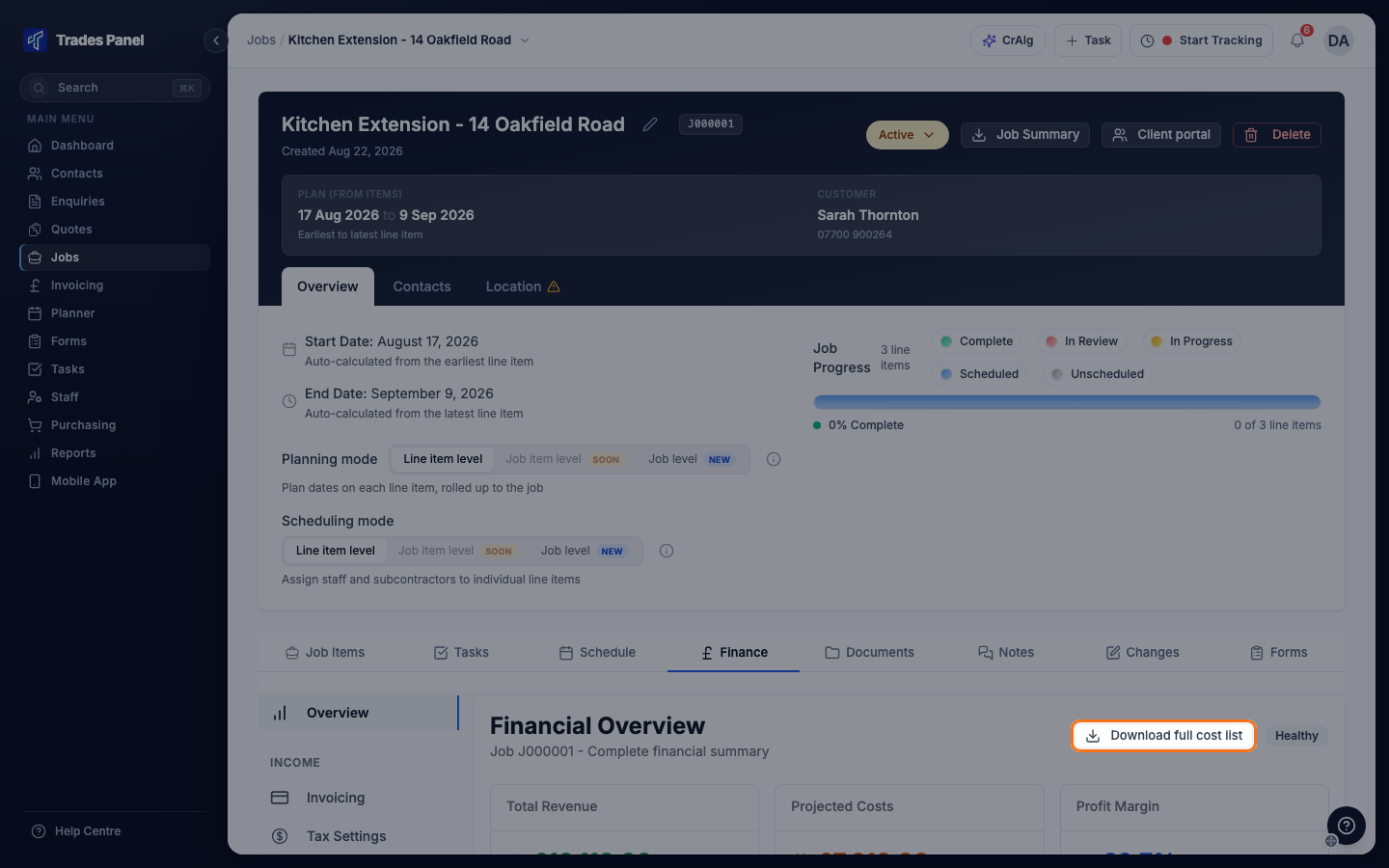
The file downloads straight away as an Excel workbook named cost-list- followed by the job
number and the date, for example cost-list-J000123-2026-11-24.xlsx.
What is in the file
The workbook has five sheets. Each one starts with your company name, the job number and title, and the date it was downloaded. All figures exclude VAT.
Summary
One row each for Labour, Materials and Plant, with the number of Lines, the Total cost and the Total charge, and a Total row underneath.
All
Every line on the job in one table, in the order it appears on the job: each job item in turn, each line item in turn, and within a line item its labour, then materials, then plant. The columns are Ref, Type, Phase, Line item, Name, Qty, Unit, Unit cost, Unit charge, Total cost and Total charge.
- Ref is the job item number and the line item's number within it, so
2.3is the third line item of job item 2. - Phase is the job item's name and Line item is the line item's name.
- Type is Labour, Material or Plant.
There are no merged cells or subtotals in the middle, so you can filter, sort or build a pivot table from it straight away. The header row has filters switched on, and the Total row at the bottom sits outside them.
Labour
The labour lines only. The columns are Ref, Phase, Line item, Labour, Hours, Qty, Unit, Rate cost, Rate charge, Total cost and Total charge.
- Labour is the crew preset's name, or Labour when the line has no crew preset.
- Hours is the time the work takes on the schedule.
- Labour priced by time shows its Qty in days, and its rates are day rates. Days use the line's own working day, or your account's current working day for older lines that do not record one. On those older lines Qty times the rate may not exactly equal the Total cost. Hours and the totals are always exactly as saved. See Your Account's Working Hours.
- Labour priced by a unit of measure shows its own quantity and unit, such as m², and its rates are per unit.
The same labour lines appear on All, with the same quantity and unit.
Materials and Plant
The material lines and the plant lines, one sheet each. The columns are Ref, Phase, Line item, Material (or Plant), Qty, Unit cost, Unit charge, Total cost and Total charge.
What the figures mean
- Cost is your budgeted cost price, not what you have spent. A line with no cost set shows blank or 0. A cost of 0 usually means no budget was entered for that line.
- Charge is the price you charge the customer.
- Totals are exactly as they are saved on each line. They match the labour, materials and plant lists, and the budgets on the Labour Budget, Material Budget and Plant Budget pages.
- The lines on Summary add up to the rows on Labour, Materials and Plant, and All has one row for each of them.
The list includes lines on every job item, whatever its status, and lines from change orders once the change order has been applied. It does not include actual costs such as purchase invoices or logged time. Those are on the Overview and the budget pages. See The Job Finance Tab.
Amounts use your account's currency.
If the download does not start
- "Nothing to export": the job has no labour, materials or plant. Add some to a line item, then come back to Overview.
- "Failed to download full cost list": try again. If it keeps failing, contact support.
Related articles
- Download a Job's Labour List - the labour, with hours and cost added up per crew
- Download a Job's Materials List - the materials, with a buying list
- Download a Job's Plant List - the plant, added up across the job
- The Job Finance Tab - budgets, actual costs and profit on a job
- Labour, Material and Plant Budgets - budget against actual per line