A pipeline is the set of stages your enquiries move through, such as New, Contacted, Quote Sent and Won. You can add more than one pipeline to keep different kinds of work apart, for example domestic and commercial.
Who can do this: owners, admins and office staff. Plan: the Free plan has one pipeline, Crew and Business have three, and Pro has no limit.
Create a pipeline
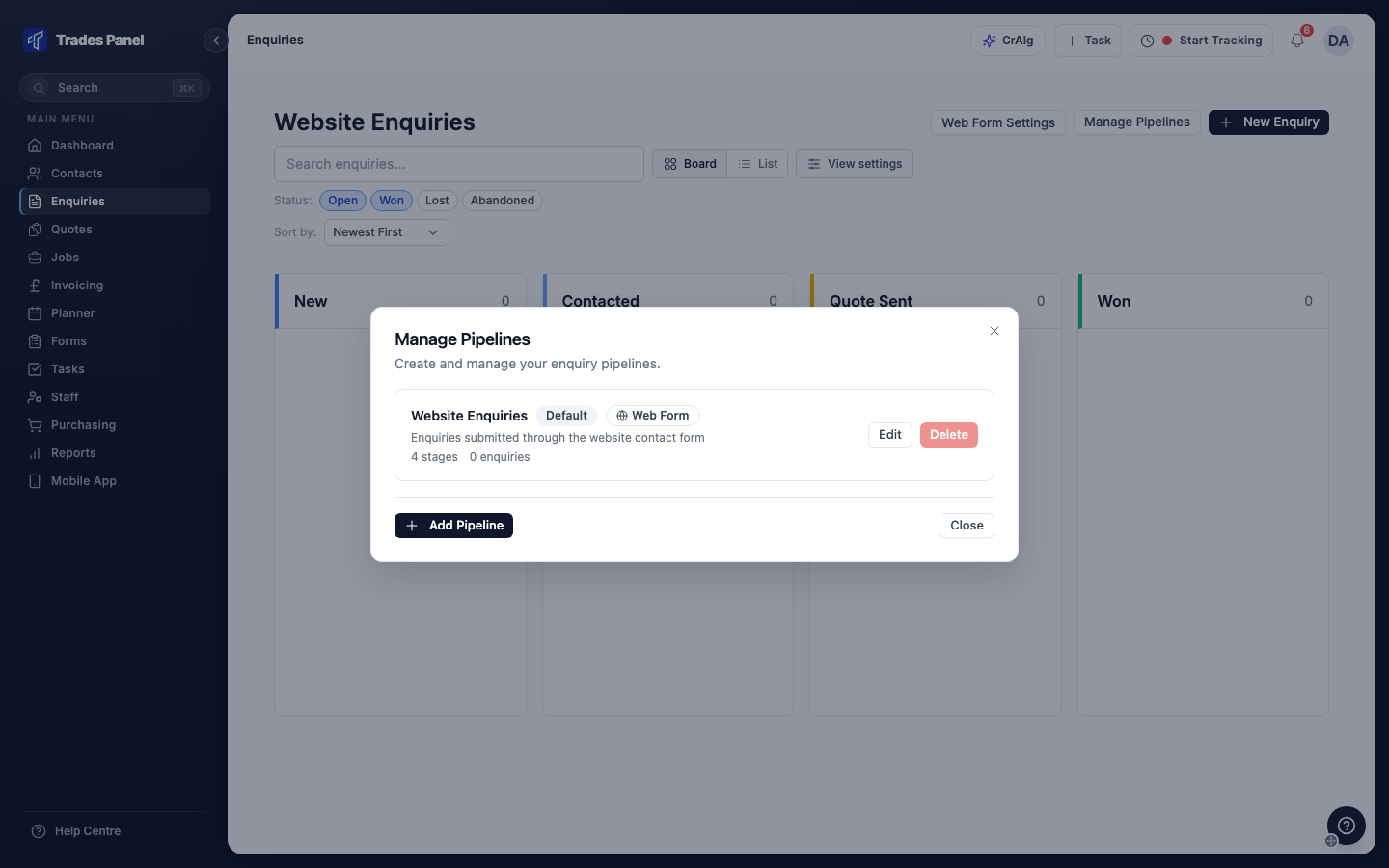
- Click Enquiries in the menu, then Manage Pipelines.
- Click Add Pipeline.
- Enter a Pipeline Name and, if you like, a Description.
- Under Stages, the pipeline starts with New, Contacted, Quote Sent and Won. Rename the first three, click Add Stage for more, and pick a Color for each. Drag a stage by its handle to change the order.
- Click Create Pipeline.
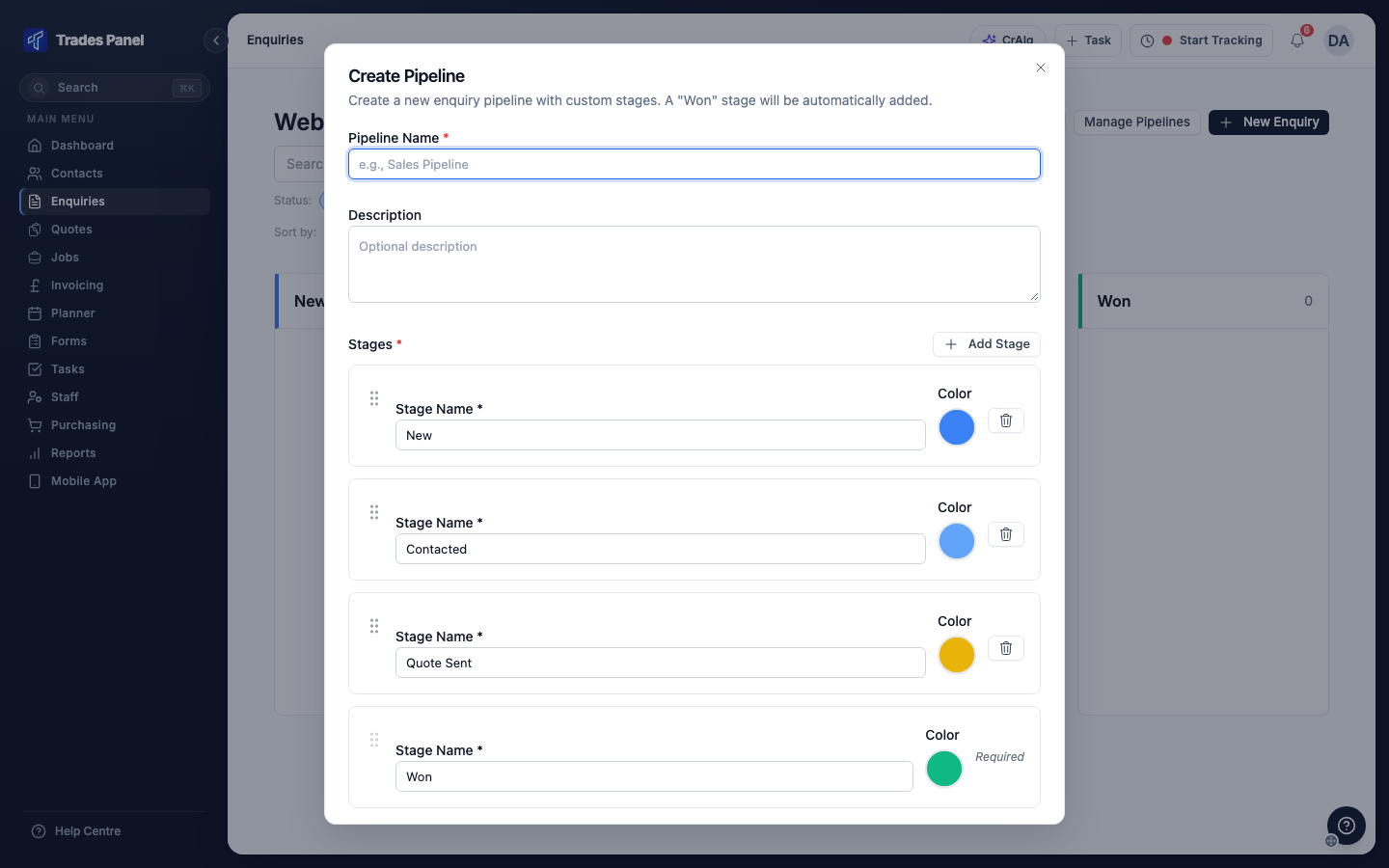
Your first pipeline becomes the default pipeline.
When you reach your plan's limit, Add Pipeline is turned off. Moving to a smaller plan does not remove any pipelines, but you cannot add another until you are under the limit.
The Won stage
Every pipeline ends with a Won stage. It cannot be renamed, moved or deleted, and new stages are added before it. An enquiry moved into Won is marked won, and an enquiry marked won moves into Won. See Add and Track an Enquiry.
Change a pipeline's stages
- On the Enquiries page, click Manage Pipelines.
- Click Edit on the pipeline.
- Add, rename, recolour or reorder the stages.
- Click Update Pipeline.
A stage with enquiries in it cannot be deleted. Move its enquiries to another stage first.
Choose the default pipeline
The default pipeline is marked Default in Manage Pipelines. It is the pipeline that:
- opens first on the Enquiries page
- receives enquiries from your website contact form, in its first stage - see Put a Contact Form on Your Website
- is chosen first when you add an enquiry from a contact's record
To change it, click Set Default on another pipeline.
Delete a pipeline
In Manage Pipelines, click Delete on the pipeline and confirm. This cannot be undone.
You cannot delete the default pipeline, or a pipeline that still has enquiries in it.
Related articles
- Add and Track an Enquiry - adding enquiries and moving them through stages
- Put a Contact Form on Your Website - enquiries from your website
- Send a Quote and Convert It to a Job - moving the enquiry when you send a quote