A statement is a PDF listing a customer's invoices and the payments received against them, with a running balance and the balance due. You download it from the contact's record and send it to the customer yourself.
Who can do this: owners, admins and office staff.
Download a statement
- Open the contact and click Statement.
- Choose the period. It starts at the last twelve months. Change the From and To dates, or tick All time.
- Click Download.
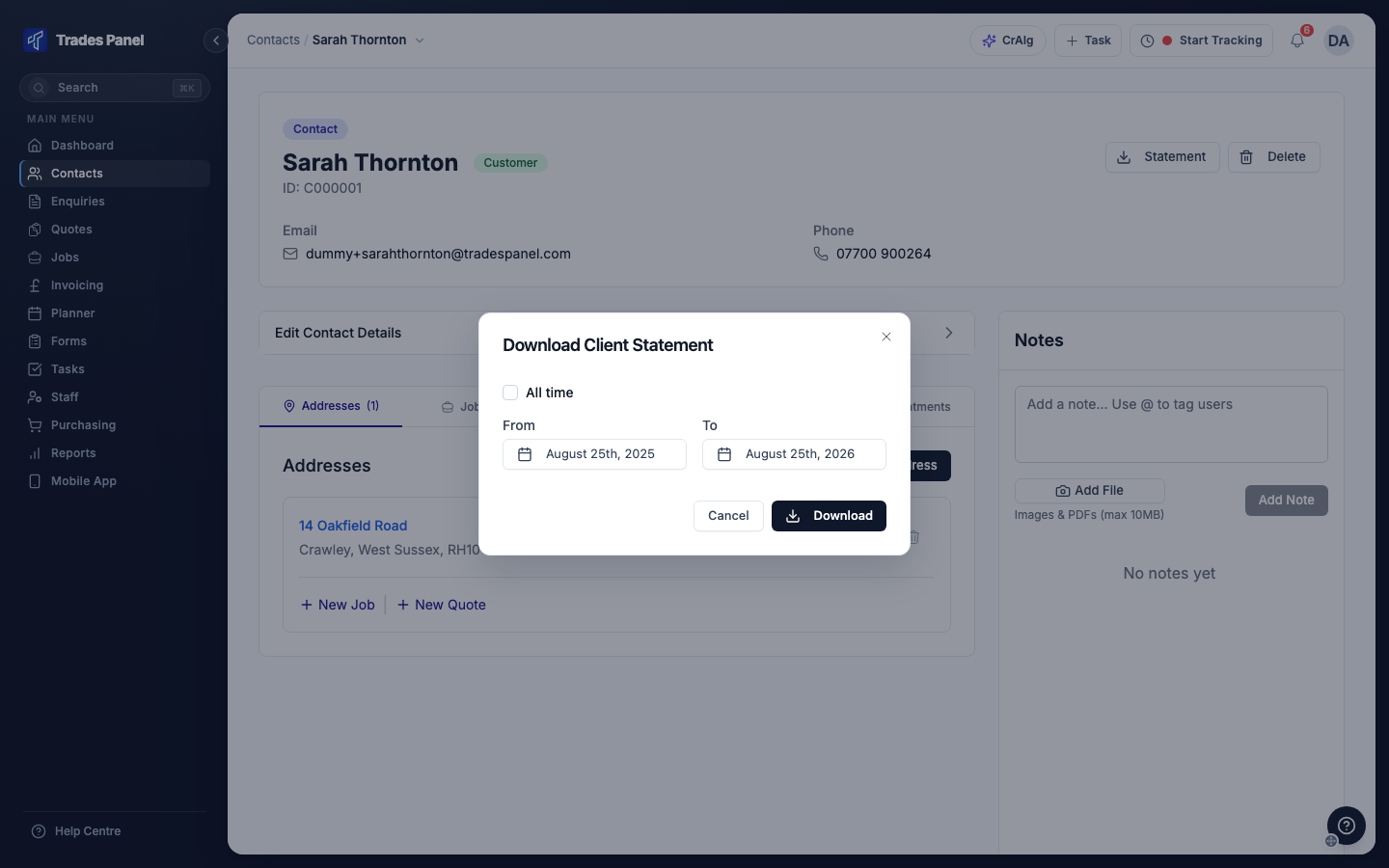
The PDF downloads to your computer. Attach it to an email to send it to the customer.
What is on the statement
- Every invoice issued to the customer in the period, except cancelled ones.
- Payments received against those invoices.
- CIS deductions, where an invoice has them.
- A running balance and the total balance due.
The statement carries your logo, brand colour, VAT number and invoice footer. See How to Add Your Company Branding to PDFs.
Related articles
- Raise an Invoice and Record a Payment - raising invoices and recording payments
- The Job Finance Tab - a job's invoices and payments
- Add and Manage Contacts - the contact's record