A quote request is a list of items you want priced. You send the same list to up to three suppliers, enter the prices they come back with, and raise purchase orders for the lines you choose.
Who can do this: owners, admins and office staff.
Before you start: the suppliers you want to ask must already be on your account. See Add Suppliers and Subcontractors.
Create the request
- Go to Purchasing and open the Quote Requests tab.
- Click New Quote Request.
- Under To, search for and add up to three suppliers.
- Under Job, link a job if the items are for one. This is optional.
- In the search box on the right, find an item from the linked job or your material presets, or type a description of your own. Click a result to add it as a line.
- Check each line's description and set its Qty.
- Click Create quote request.
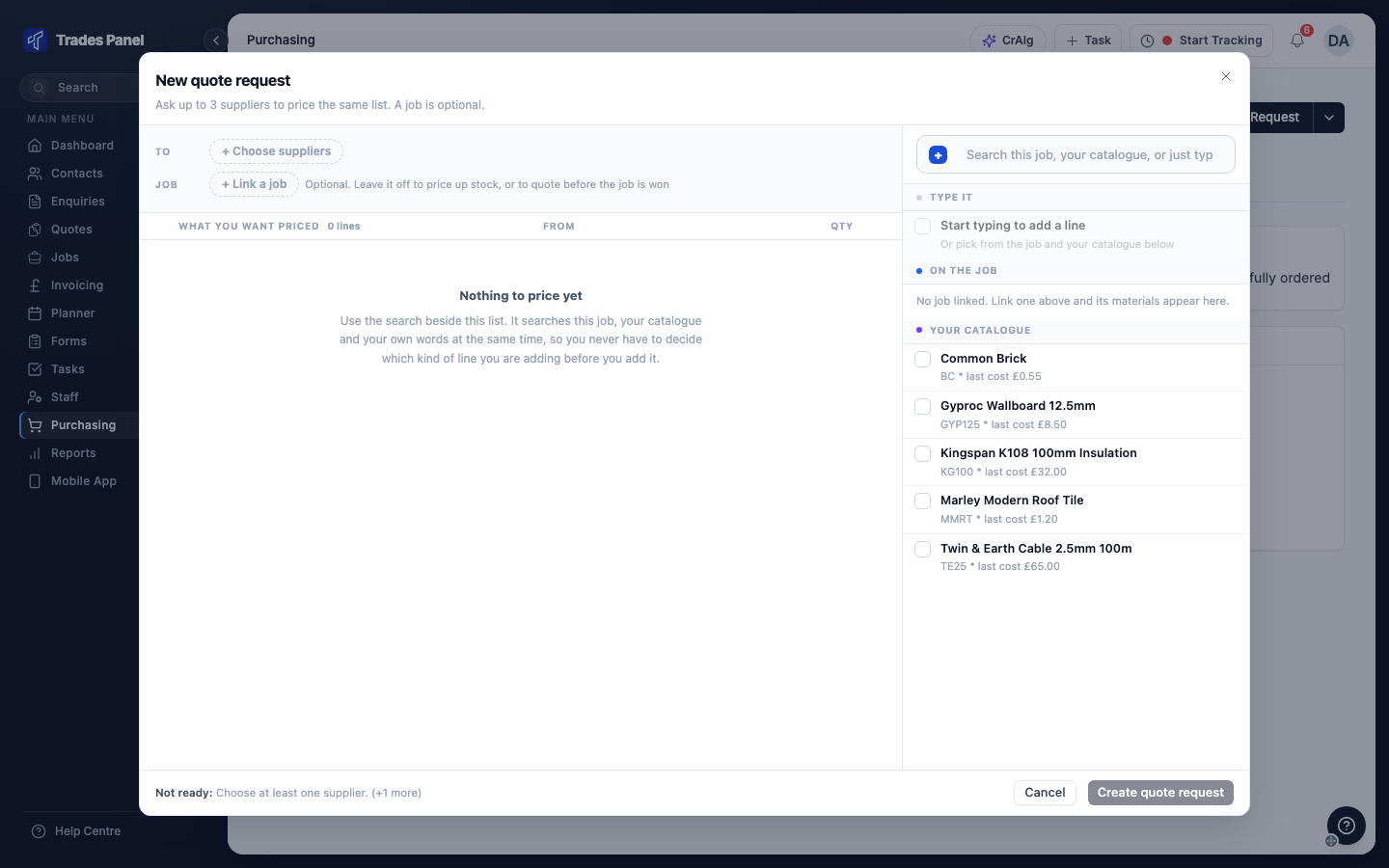
If Create quote request is greyed out, the line at the bottom of the dialog says what is missing - usually a supplier, or a line with no quantity.
Creating the request does not send it to anyone.
Send it to each supplier
- On the Quote Requests tab, click the request to open it.
- In Supplier Comparison, each supplier has its own column. Click Send at the top of a column to email that supplier the request as a PDF, or PDF to download it and send it yourself.
- Repeat for each supplier.
The email goes to the supplier's email address unless you change it in the send window.
Enter the prices and order
When a supplier replies, enter their prices in Trades Panel.
- Open the request and type each supplier's unit price into their column, line by line.
- Click Save Prices. The cheapest price on each line is shaded green.
- Tick the price you want to use on each line. To take every line from one supplier, tick the box at the top of their column.
- Click Create Purchase Order. The button shows how many lines are selected.
Trades Panel raises one purchase order per supplier you picked from. Lines that have been ordered are marked, and their prices can no longer be changed.
Related articles
- Purchasing - the Quote Requests tab and what Needs action shows for a request that has not been ordered
- Add Suppliers and Subcontractors - adding the suppliers you want to ask
- Set Up Labour, Material and Plant Presets - the material presets you can add lines from
- Labour, Material and Plant Budgets - purchase orders and invoices on a job