What It Does
The Payroll settings in Trades Panel allow you to configure how and when your staff are paid — whether they’re on day rates or annual salaries. Setting this up ensures your team is paid accurately and consistently.
Accessing Payroll Settings
What It Does
This is where you manage payment frequency and payroll schedules for all staff.
Steps
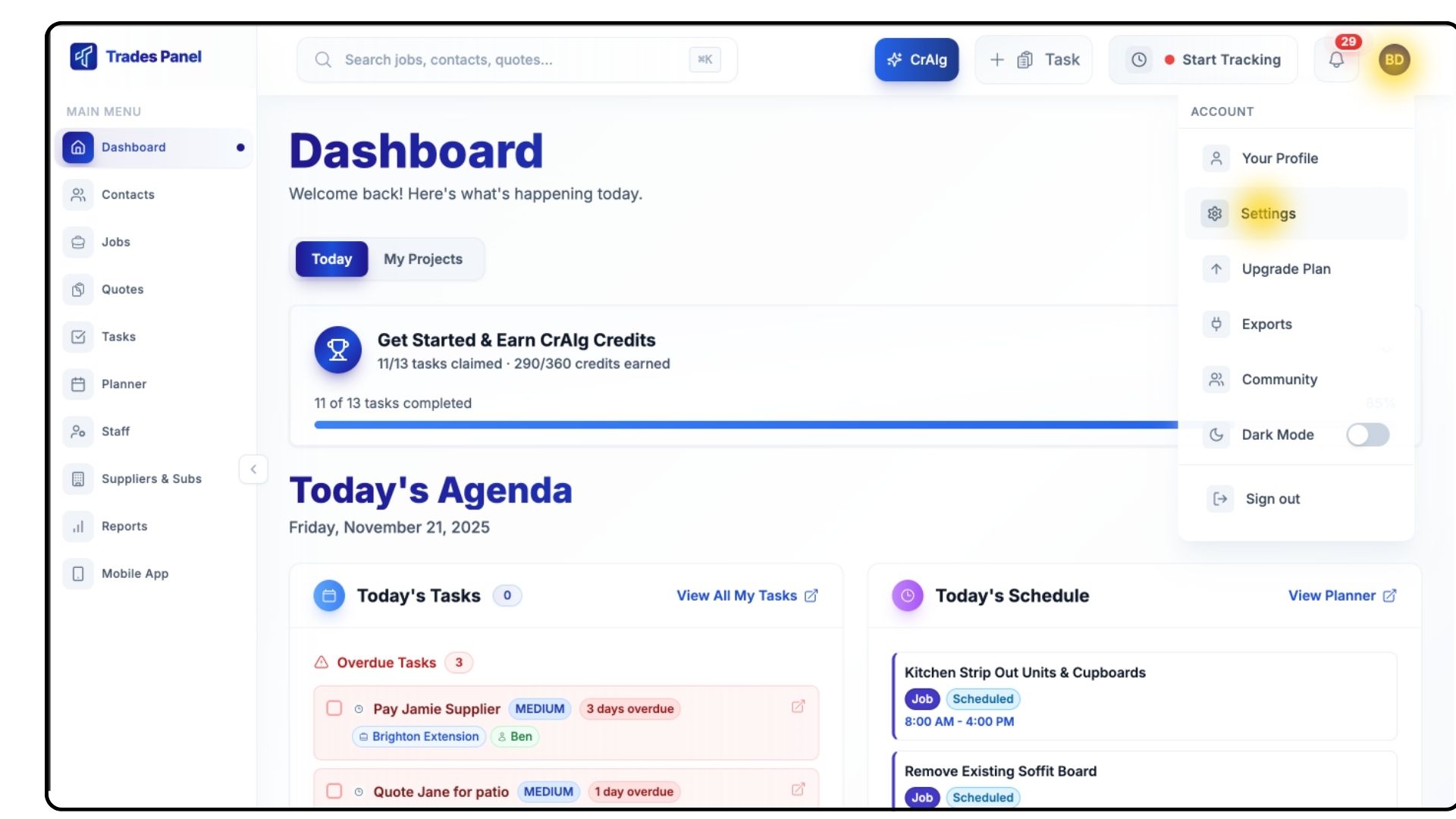
Click your Profile Icon in the top-right corner and select Settings.
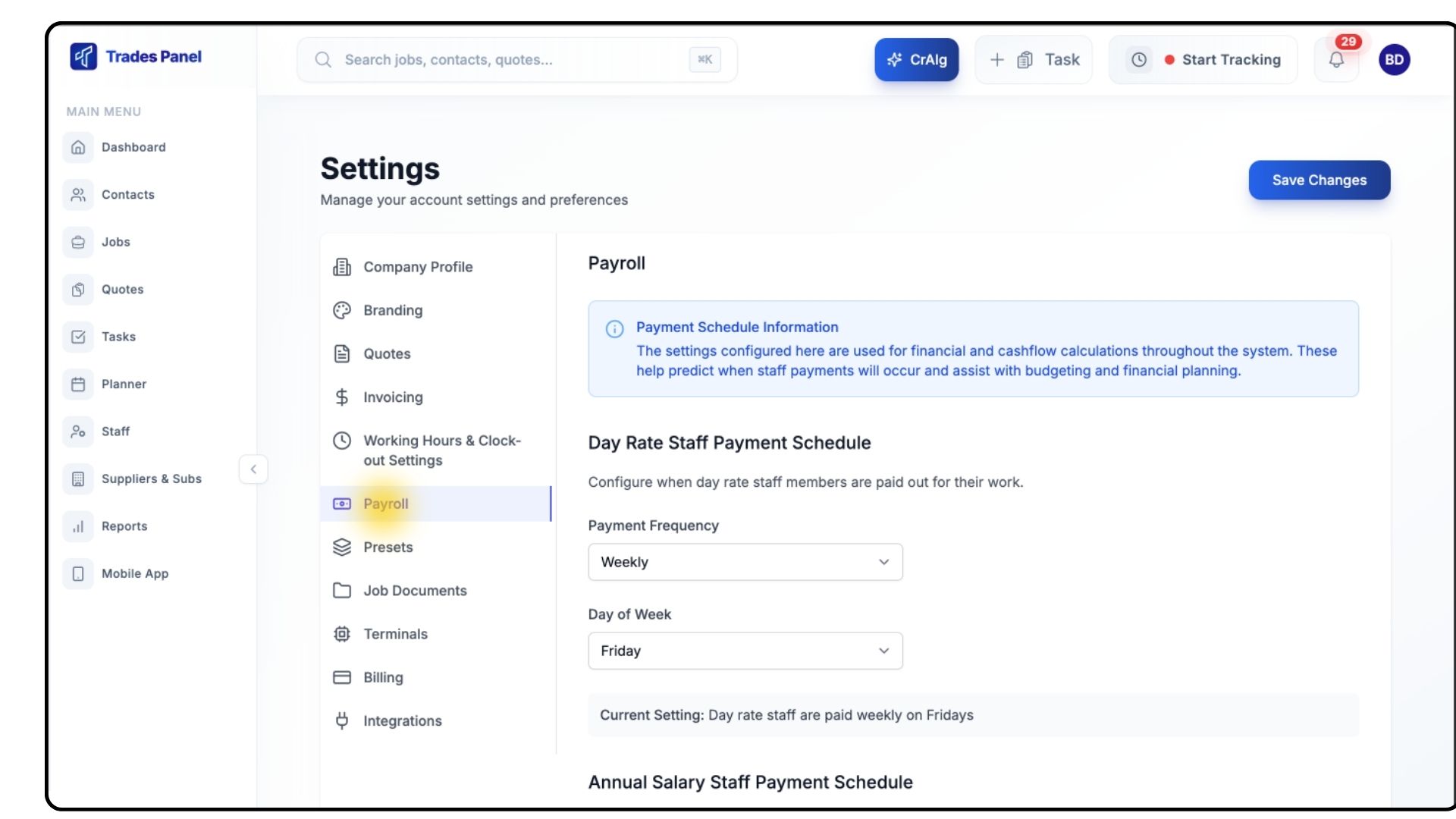
From the left-hand menu, click Payroll.
Configuring Day Rate Staff Payments
What It Does
Allows you to set how often day-rate staff are paid and on which day payments are processed.
Steps
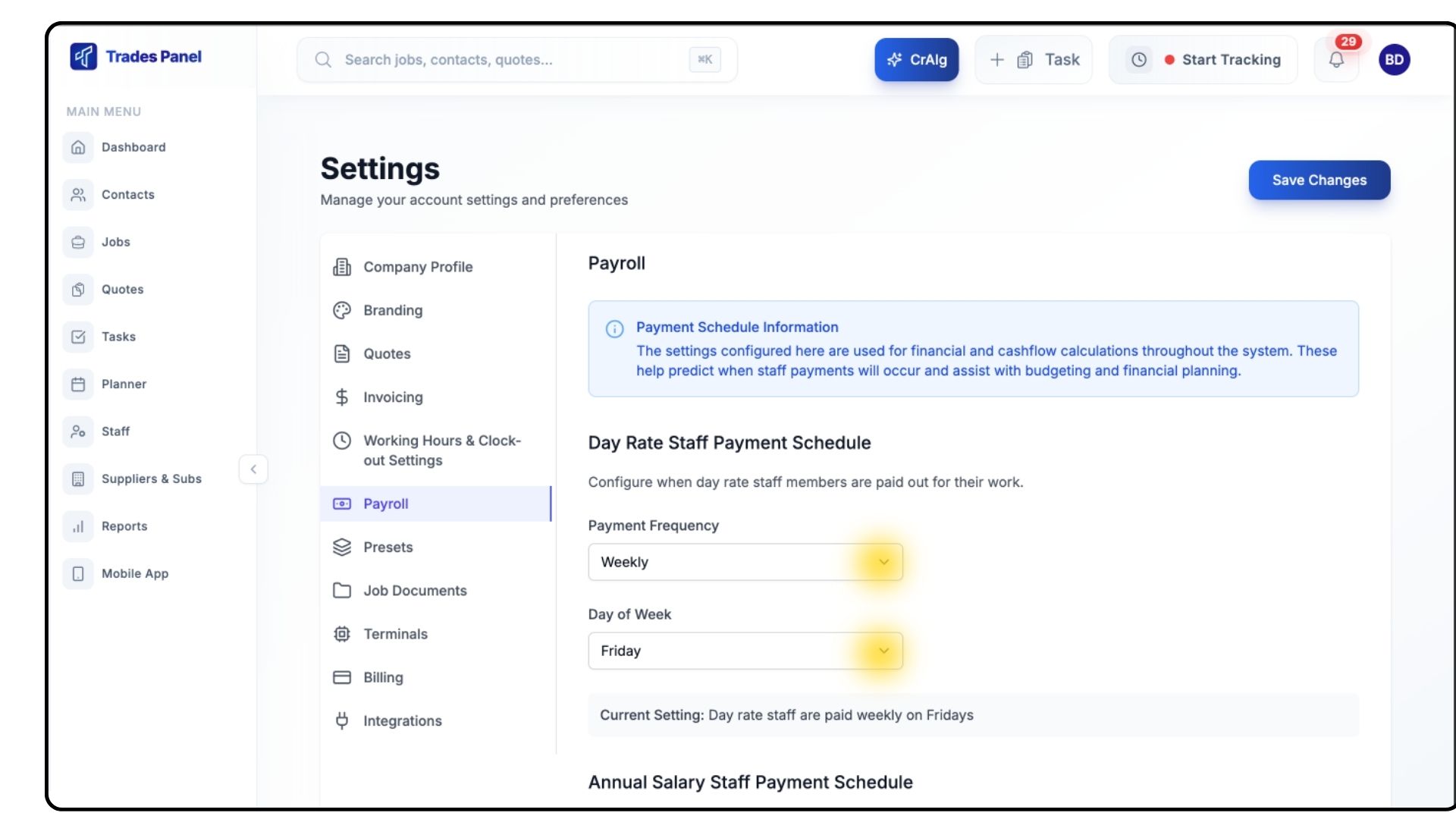
Open the Payment Frequency dropdown and select one of the following:
Daily
Weekly
Monthly
Once you've done this, choose the Day of the Week you’d like payments to be issued.
Configuring Annual Salary Staff Payments
What It Does
Sets the monthly payroll date for salaried staff.
Steps
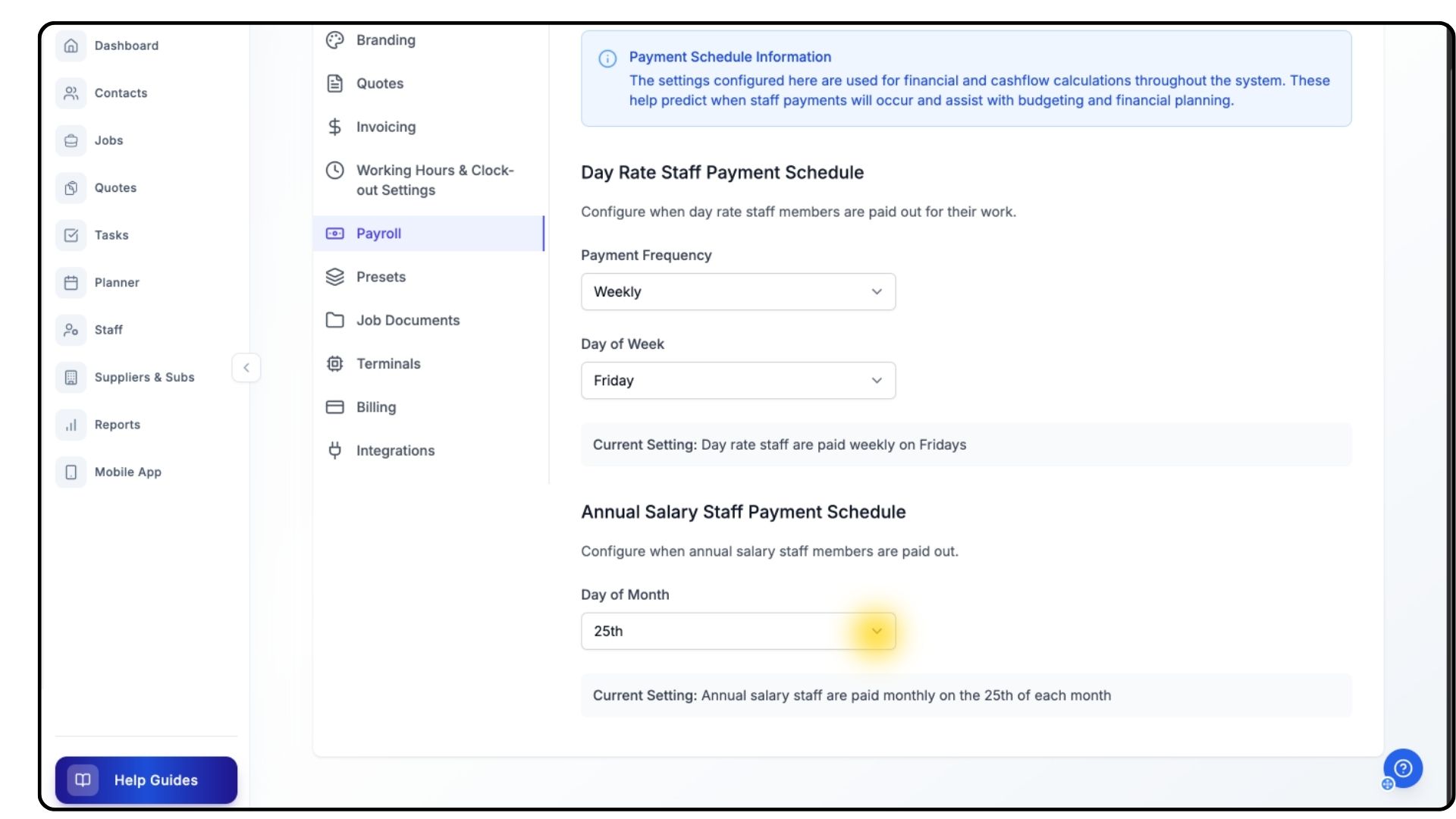
Click the dropdown under Day of the Month.
Select the date you’d like monthly payroll to run.
Saving Your Payroll Settings
What It Does
Applies your chosen payroll preferences across your entire account.
Steps
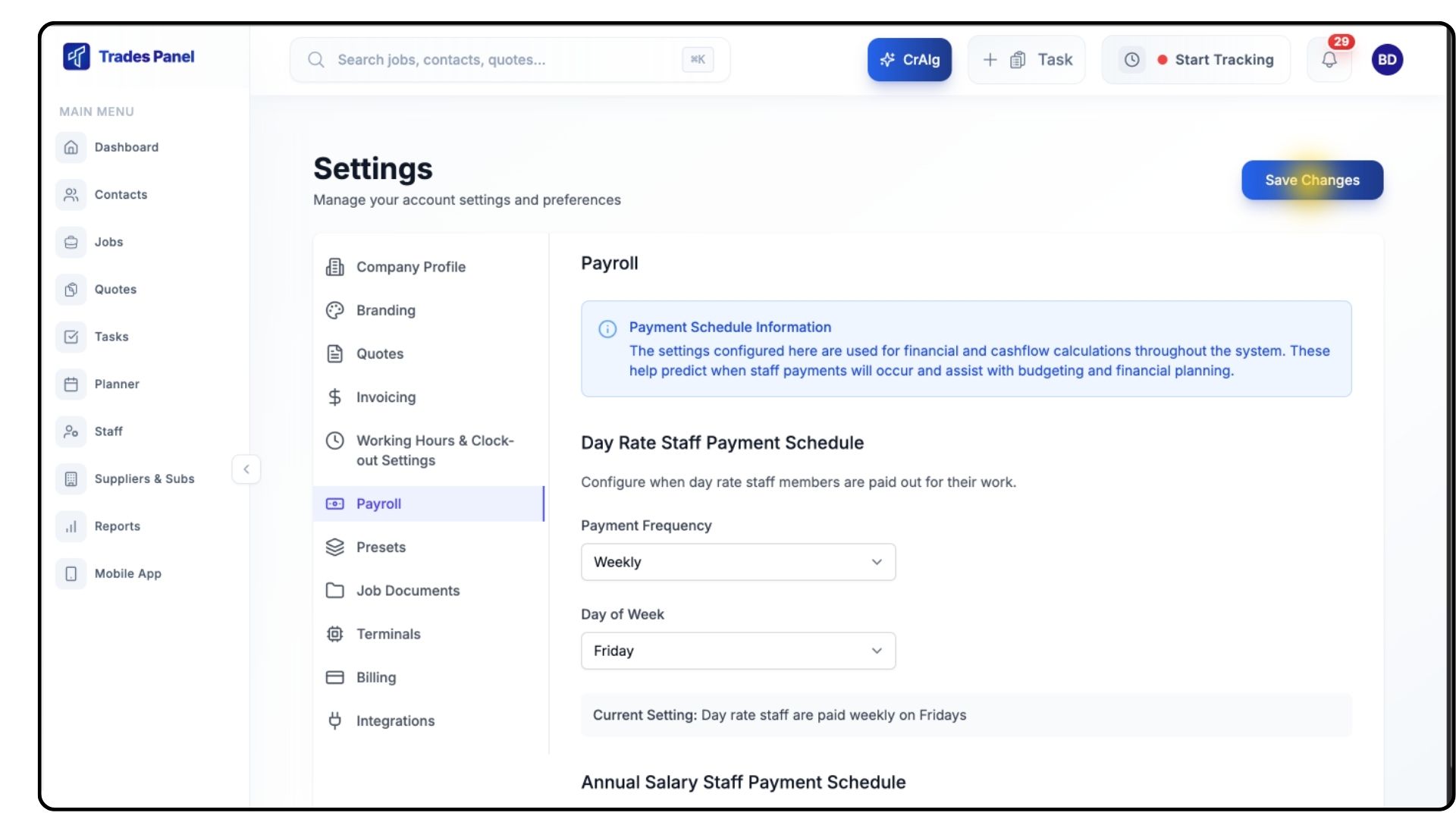
Click Save at the top of the page.
Your payroll configuration is now active for both day-rate and salaried staff.
Common Questions
Q: Do payroll settings affect timesheets or pay calculations?
No — payroll settings determine payment scheduling, not wage calculations.
Q: Can I set different payroll dates for different staff?
No — payroll settings apply globally across your business.
Q: Does Trades Panel run payroll automatically?
No — Trades Panel manages scheduling and calculations, but actual payment processing is done outside the system.
Q: Can I change payroll settings later?
Yes — you can update these settings at any time.